
Groups, brackets and board queues in one workflow
From first group to final
Tournament control
Organise groups, board assignments, board queues and knockout brackets while keeping players and spectators informed.
Currently in beta testing
Access varies by invitationProDart360 is currently in beta testing. Availability may vary while we test the app with real players, captains and organisers.
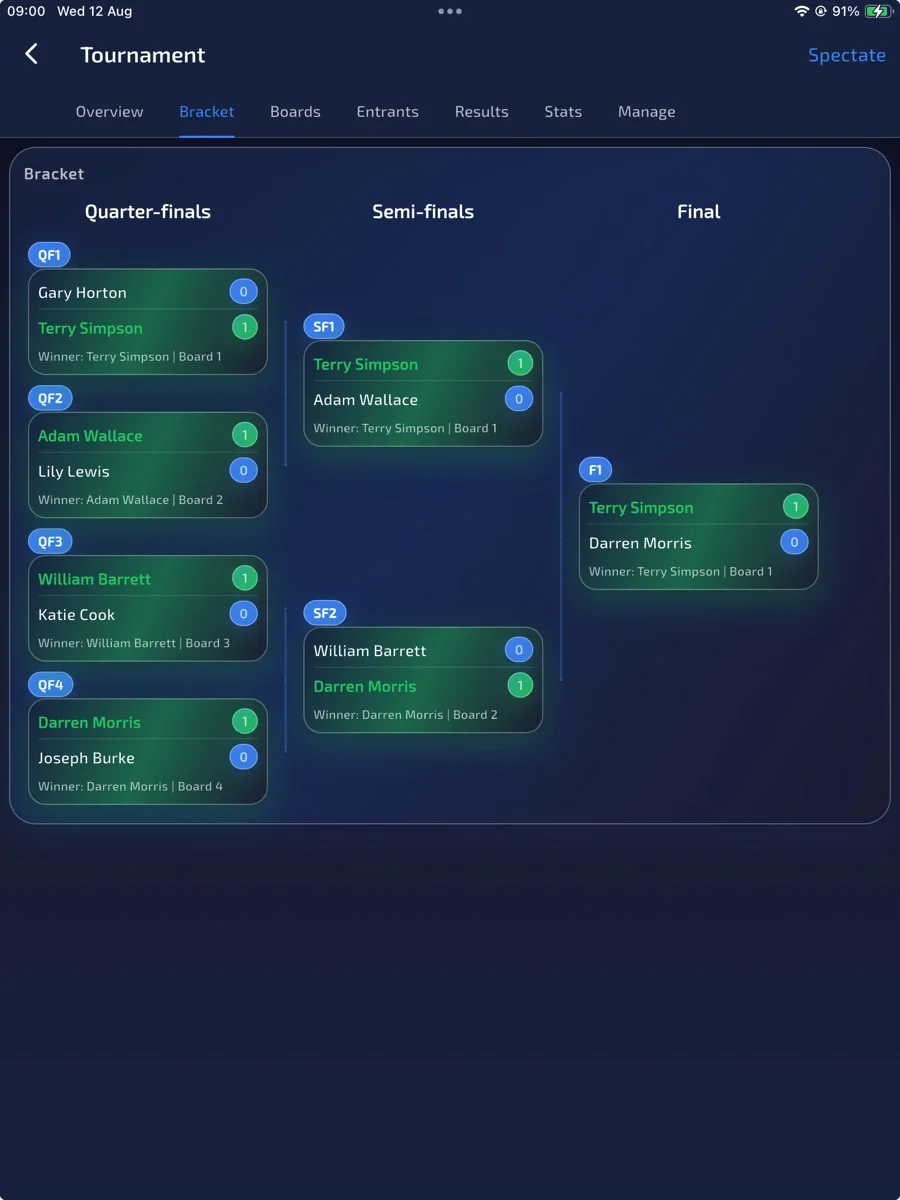
Inside Tournament control
Confirm the field before the first match.
Choose the format and boards, add entrants and resolve check-in. Start Tournament confirms the structure from the actual playing field. Use board assignments and queues to call matches, then check the group table after results. A knockout bracket appears only when that format is used. Spectator tools vary by invited build.
Read the related guide →Why it matters
Run tournament day from groups to the final.
Tournament tools keep the moving parts visible: group setup, board assignment, board queues, knockout brackets, match breakdowns and tournament statistics. It is designed for organisers who need to keep play moving without losing control of the structure.
Board assignment for smoother room management
Detailed tournament reporting after play finishes
What to explore
Tournament control in detail.
Feature descriptions reviewed on 6 September 2026. Access depends on your invited build, device and test group; your beta invitation confirms what is enabled.
Group-stage formats
Automatic knockout progression
Board assignments and queues
Match breakdowns and tournament statistics
Feature details
Real app screens, explained.
Compare the views below with your invited build. Enabled options may vary between accounts.
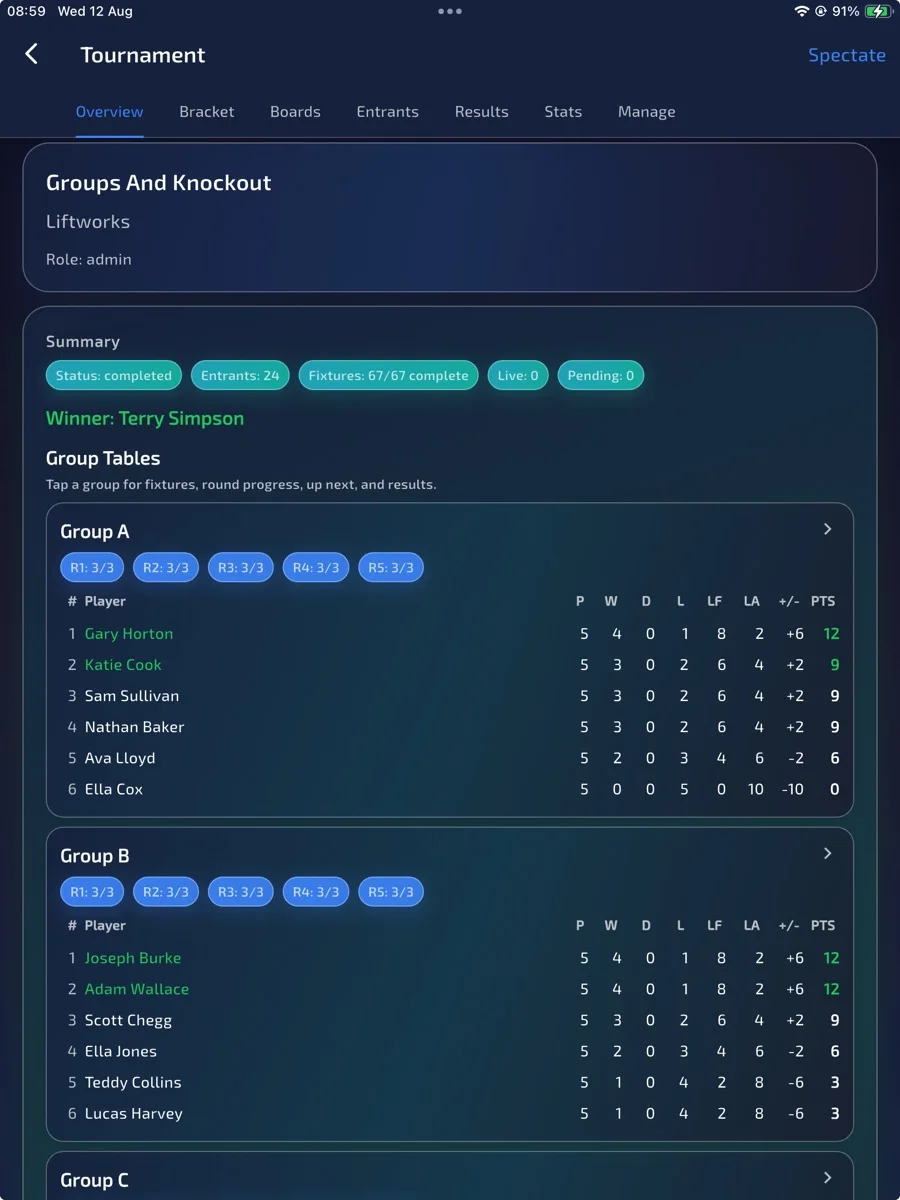
Tournament control
Group-stage control
Set up groups and keep qualifying paths visible as results arrive.
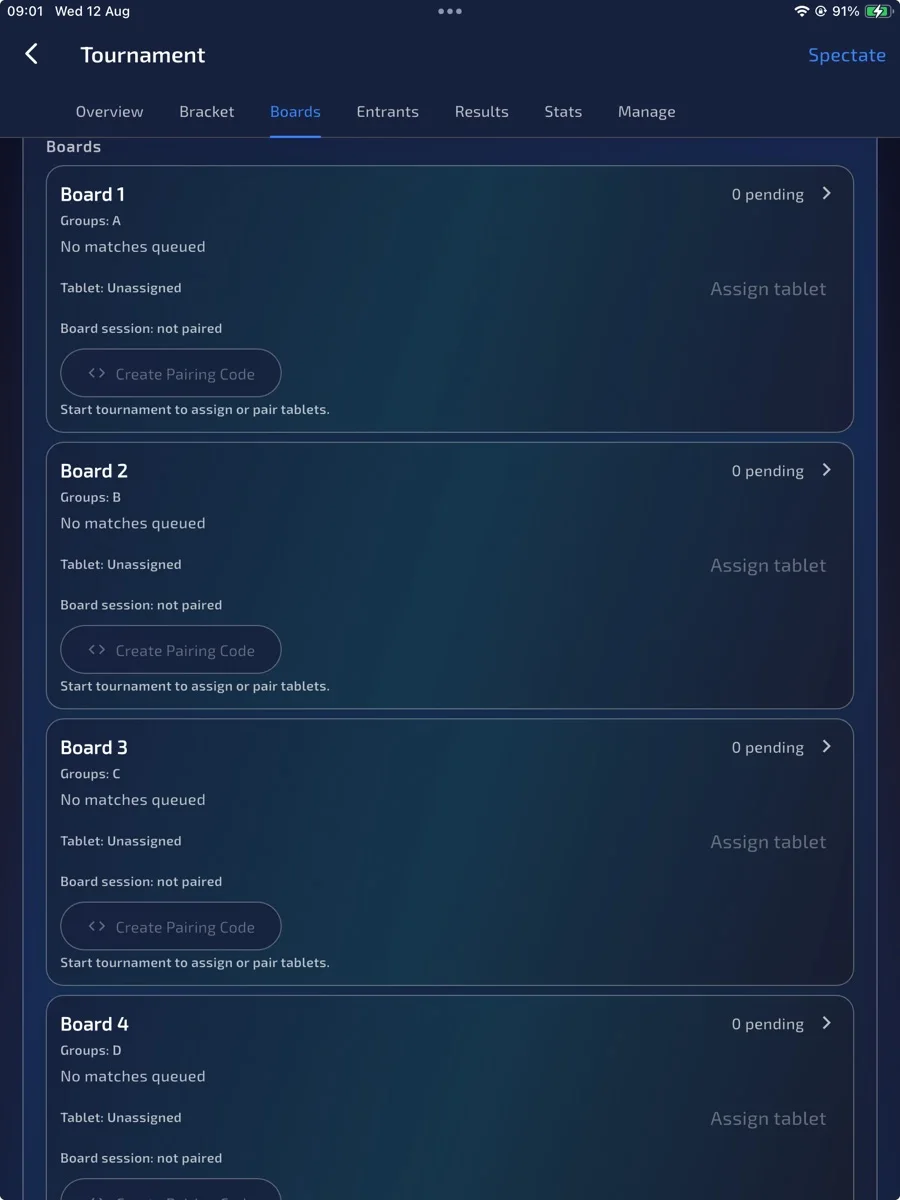
Tournament control
Assign boards clearly
Put matches on the right boards so players and organisers know where the next game belongs.
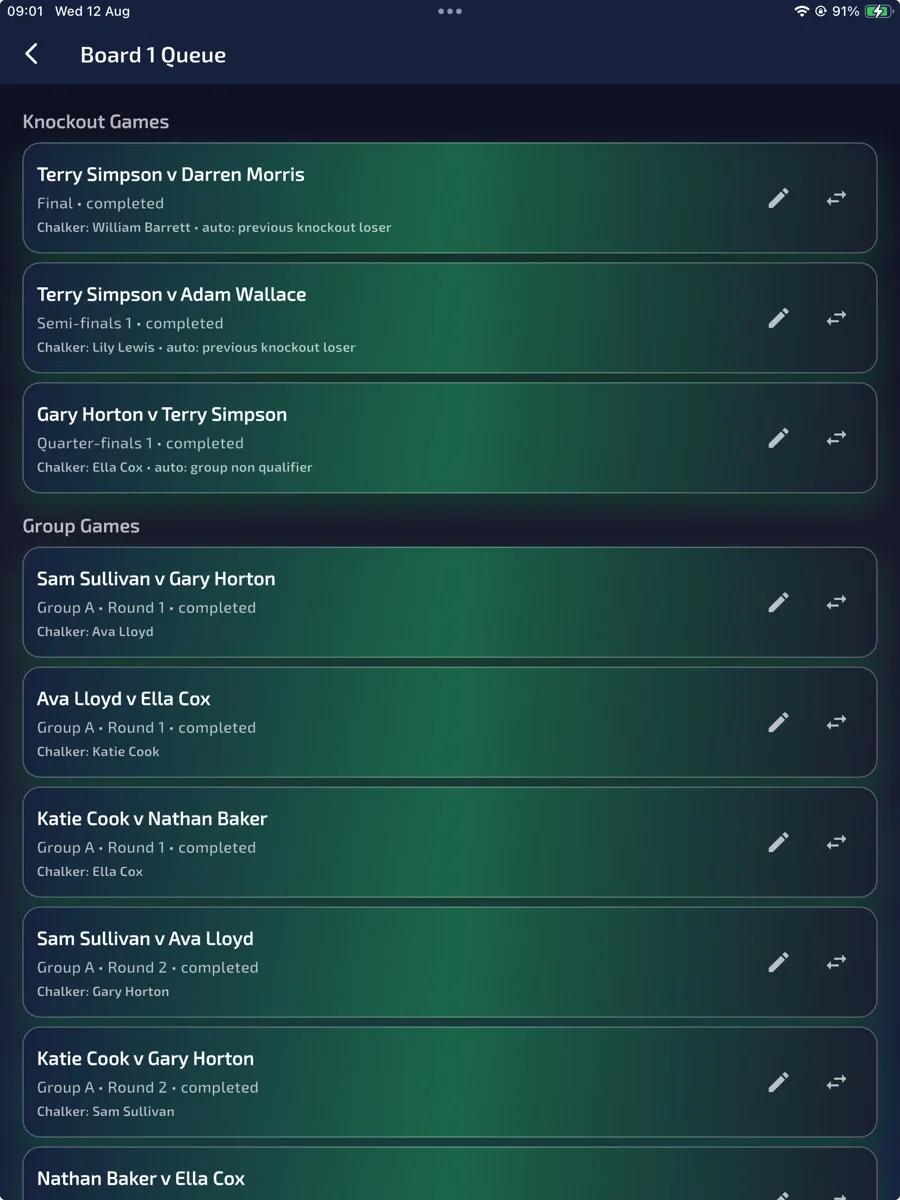
Tournament control
Board queues
See what is coming next on each board and keep the room moving.
Tournament control
Full knockout bracket
Track progression from qualifiers into the bracket and through to the final.
Tournament control
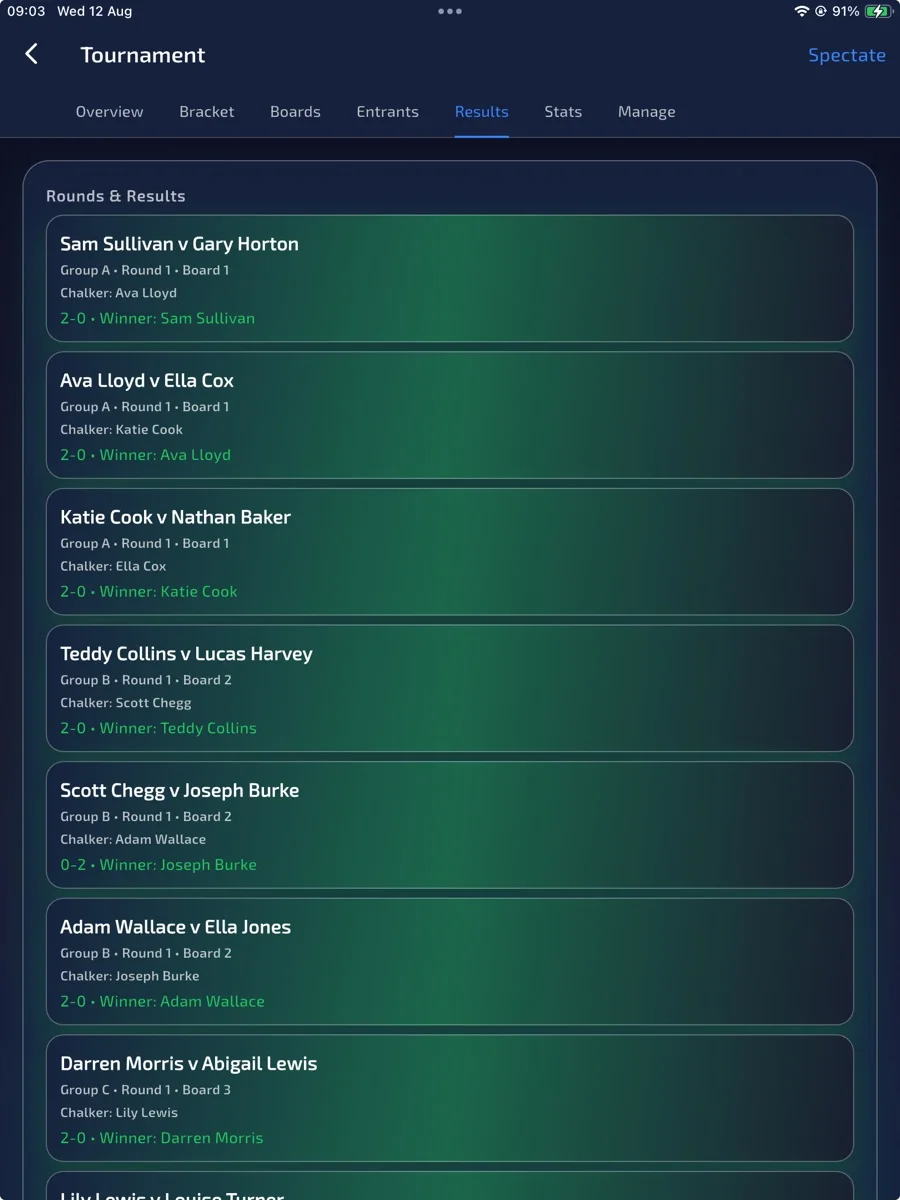
Match breakdowns
Review the match detail behind tournament results.
Tournament control
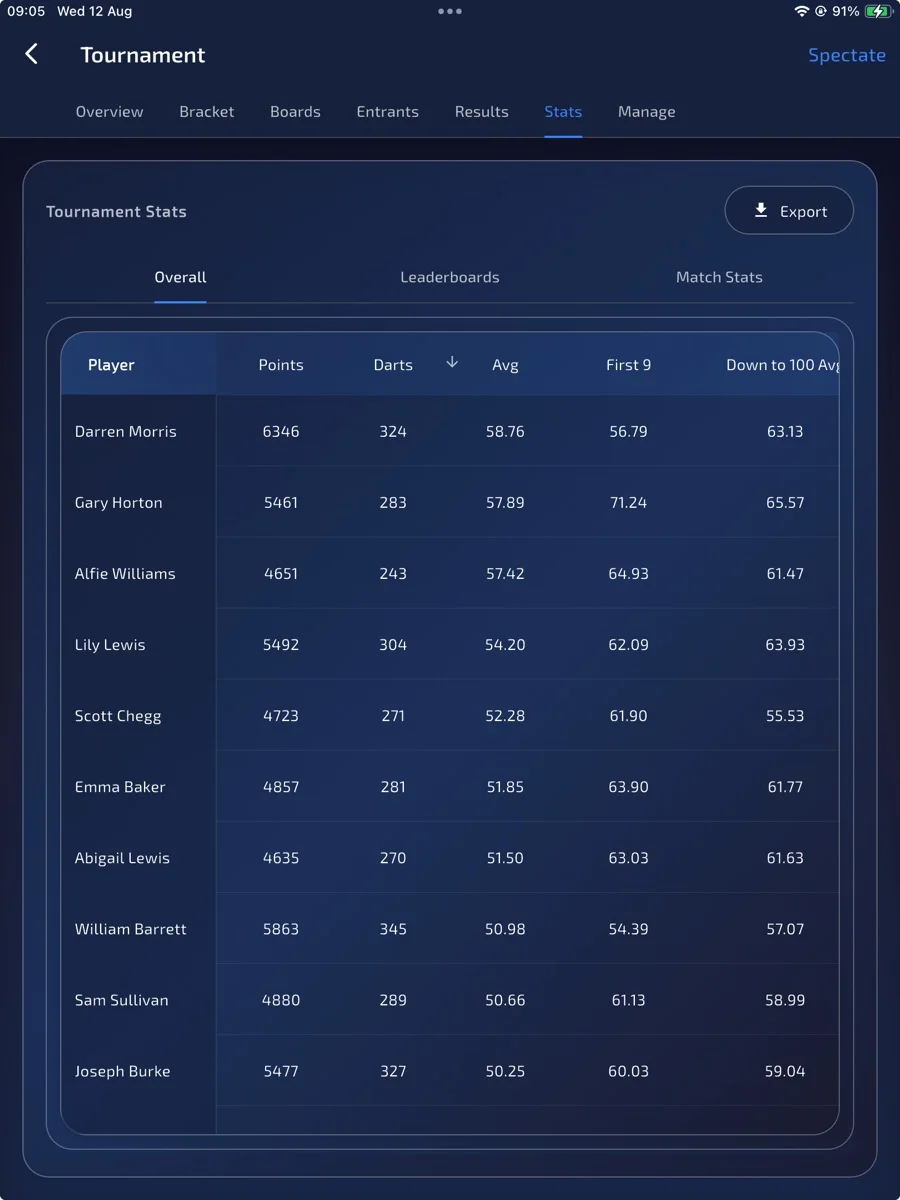
Tournament statistics
Keep performance and event numbers available after the final dart.
- 1Add entrants and resolve check-in
- 2Choose Start Tournament and confirm the structure
- 3Run fixtures and manage board queues
- 4Check the group table, or the bracket when the format uses one
Want to help shape it?