
Remote matches with clear player and fixture context
Play beyond the venue
Online play
Connect players for remote matches while manual scoring remains clear, reliable and under player control.
Currently in beta testing
Access varies by invitationProDart360 is currently in beta testing. Availability may vary while we test the app with real players, captains and organisers.
Inside Online play
Keep the fixture and opponent in agreement.
Open the eligible remote match and connect with the opponent before scoring. Both players should check the fixture and match state. An optional paired board camera provides context where enabled, but manual scoring remains authoritative. If the connection fails, preserve the session and report its state rather than starting a duplicate match.
Read the related guide →Why it matters
Keep a remote match clear from first throw to confirmed result.
Online Play connects the players and the fixture without taking control away from the people scoring. The score remains visible, the match state stays understandable and optional camera support can add context when the board is in another place.
Optional second-device board camera support
Manual scoring remains the trusted source of truth
What to explore
Online play in detail.
Feature descriptions reviewed on 6 September 2026. Access depends on your invited build, device and test group; your beta invitation confirms what is enabled.
Remote friend matches
Covered online league fixtures
Optional second-device board camera
Manual score remains the source of truth
Feature details
Real app screens, explained.
Compare the views below with your invited build. Enabled options may vary between accounts.
Online play
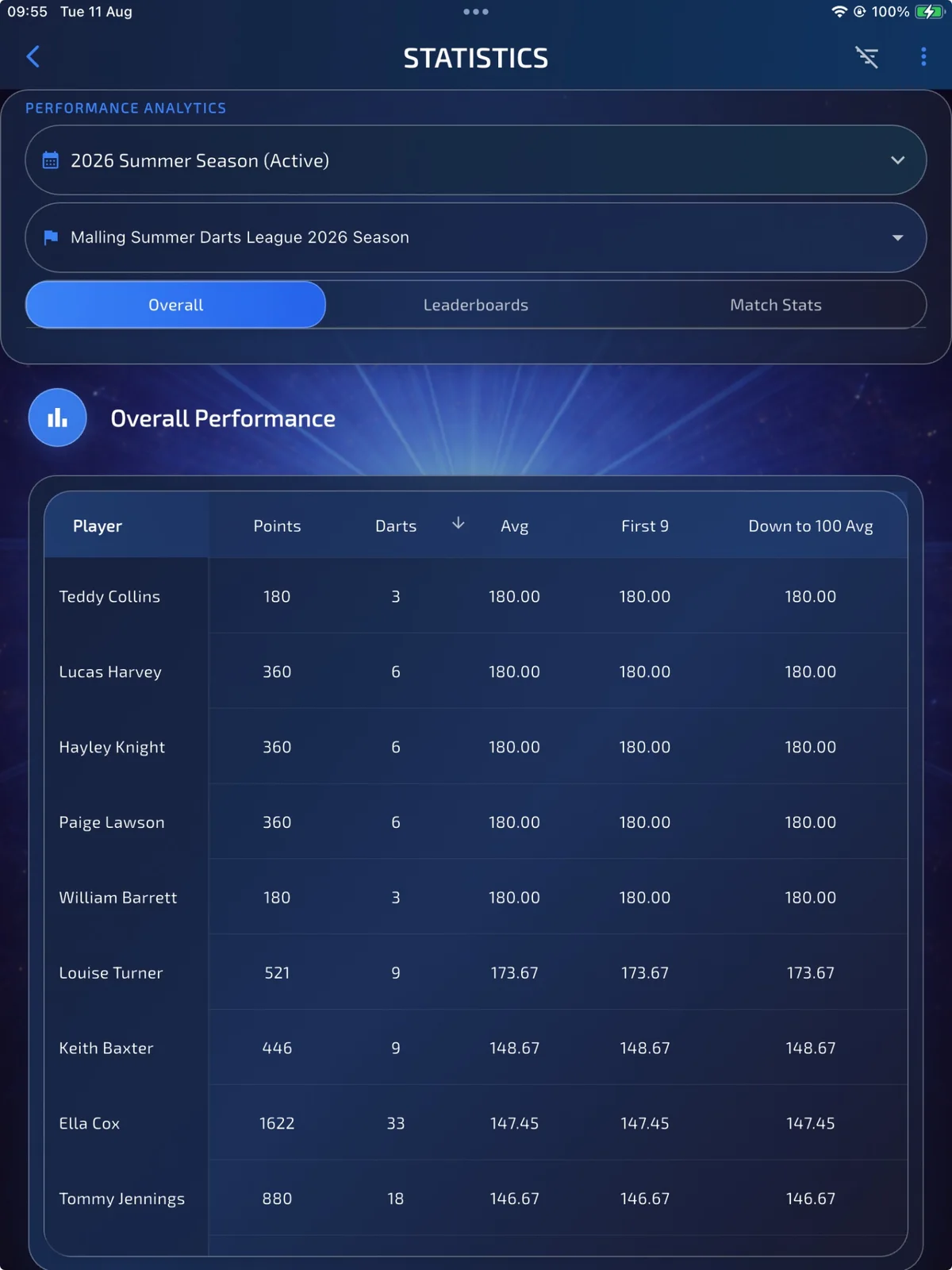
Connected match context
Keep the wider fixture and performance context available while players complete the match remotely.
- 1Create or open an online fixture
- 2Invite or connect the opponent
- 3Optionally pair a board camera
- 4Play, score and confirm the result
Want to help shape it?