
Division creation for larger competitions
Every season connected
League management
Run team or player leagues with divisions, fixtures, standings, venues, roles and live results in one system.
Currently in beta testing
Access varies by invitationProDart360 is currently in beta testing. Availability may vary while we test the app with real players, captains and organisers.
Inside League management
From named roster slots to a verified result.
Organisers prepare divisions, teams and fixtures. In synced leagues, players link their account with an individual Claim Code. Authorised scorers use Finish Match to save the final result. Synced fixtures also require upload confirmation; live progress alone does not finalise them. Local-only fixtures keep their result on the device without a cloud upload.
Read the related guide →Why it matters
League admin, results and tables stay connected.
ProDart360 is built for real darts leagues: divisions, teams, player positions, fixtures, live results and standings all sit in the same place. Organisers get a cleaner structure, captains know what needs doing, and players can follow the season without waiting for manual updates.
Live league updates as fixtures are completed
Readable tables for teams, captains and players
What to explore
League management in detail.
Feature descriptions reviewed on 6 September 2026. Access depends on your invited build, device and test group; your beta invitation confirms what is enabled.
Team and player leagues
Multiple divisions
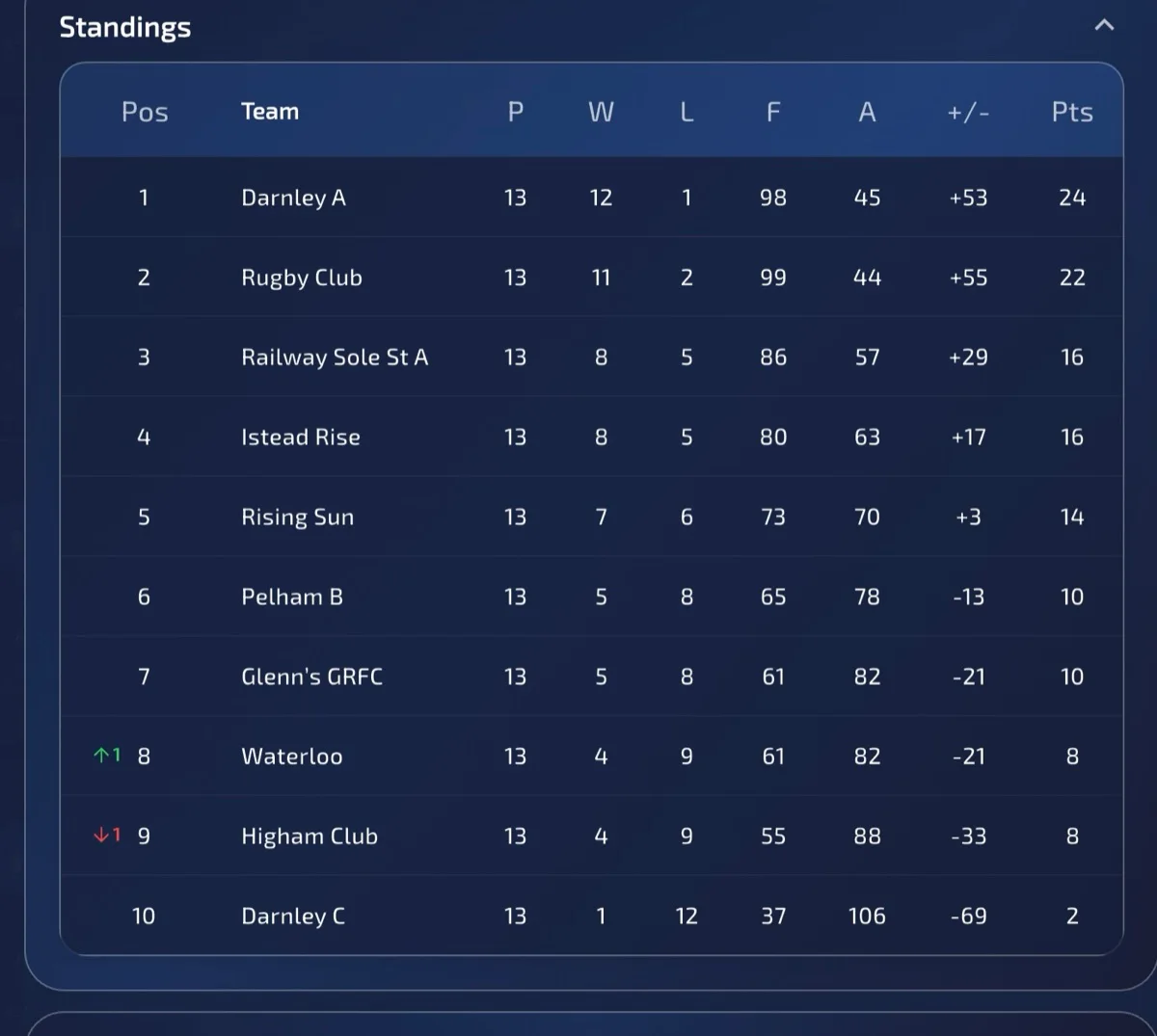
Live league tables
Division setup, results and exports
Feature details
Real app screens, explained.
Compare the views below with your invited build. Enabled options may vary between accounts.
League management
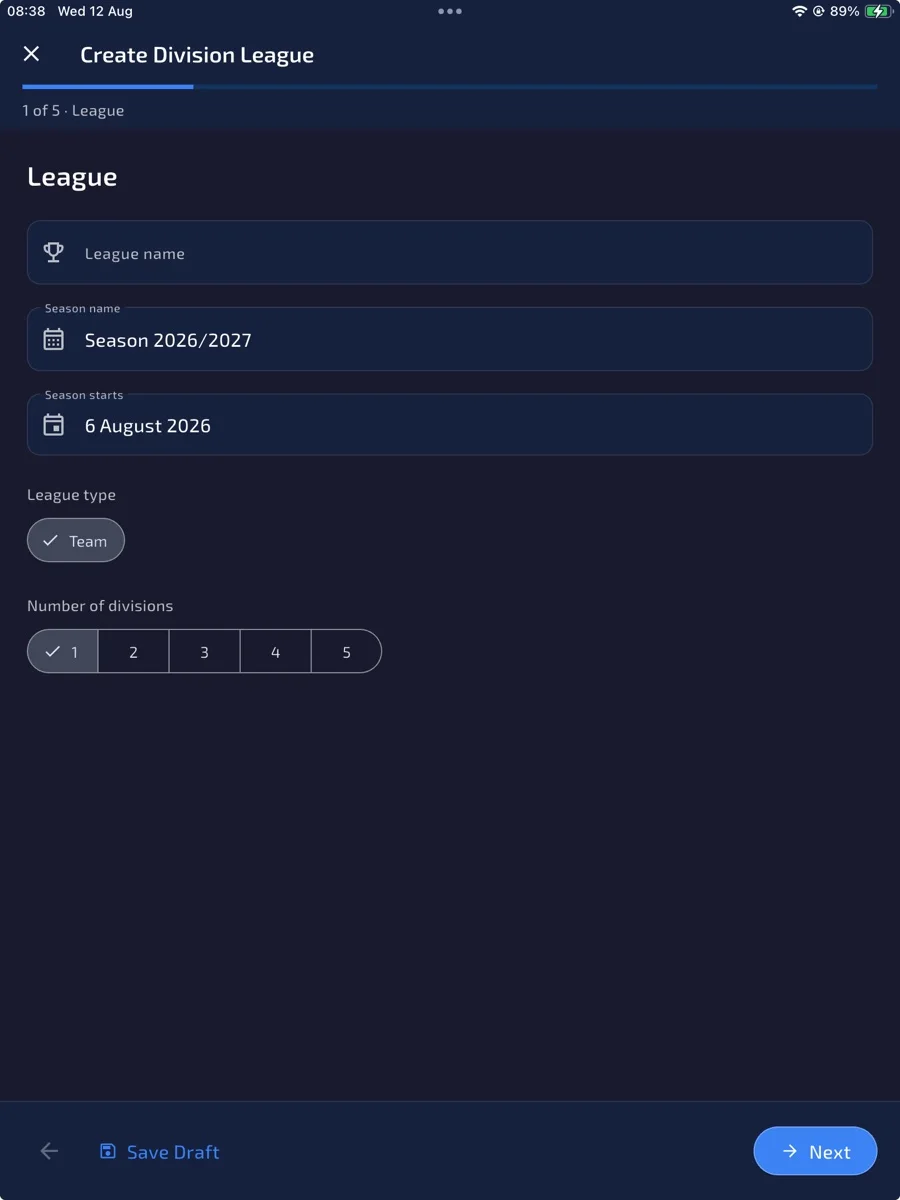
Build the season structure
Create divisions and organise the competition before fixtures and results start flowing.
League management
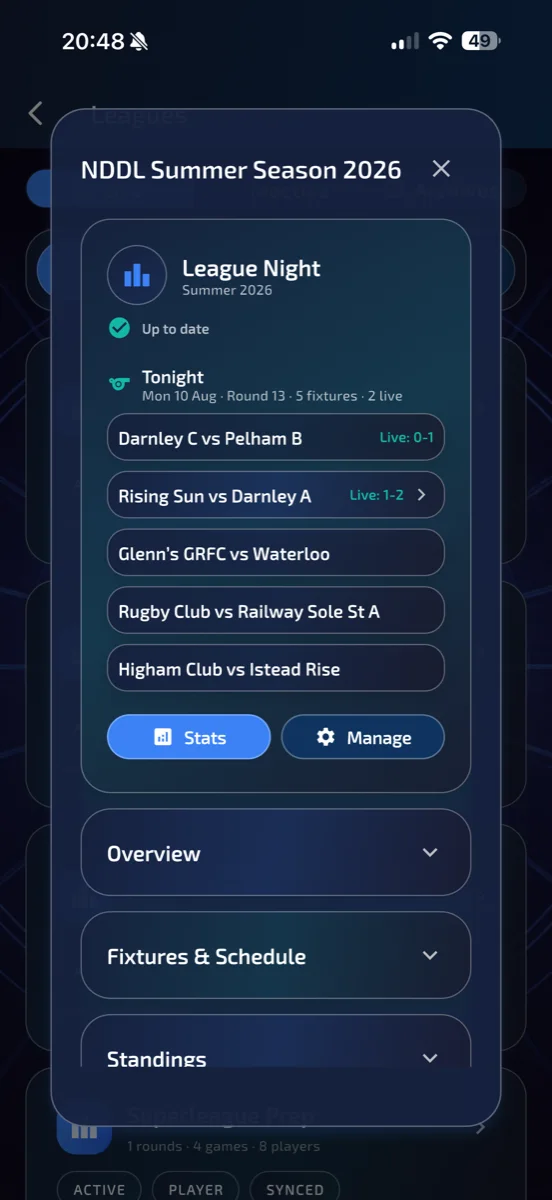
Keep everyone current
Live league updates make the latest status visible without chasing spreadsheets or messages.
League management
Clear league tables
Standings stay readable and connected to the results recorded in the app.
- 1Create the league and season
- 2Add divisions, venues, teams or players
- 3Generate or import fixtures
- 4Use Finish Match to save the result; for synced fixtures, also verify upload
Want to help shape it?