
Pro analytics views for deeper personal review
Understand every part of your game
Performance analytics
Move beyond one headline average with match, scoring and finishing information that shows how performance changes.
Currently in beta testing
Access varies by invitationProDart360 is currently in beta testing. Availability may vary while we test the app with real players, captains and organisers.
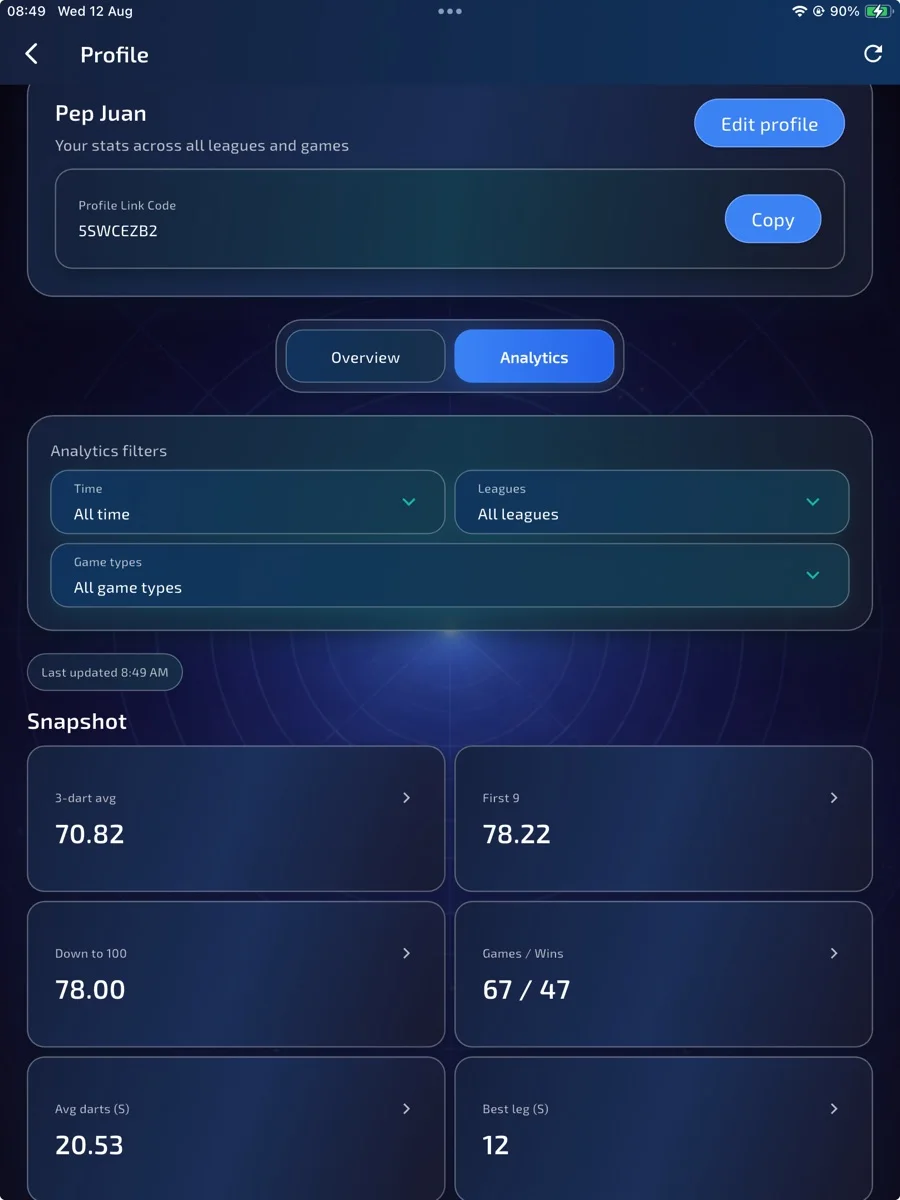
Inside Performance analytics
Compare the same slice of your playing history.
Personal analysis is available through Profile → Analytics where enabled for your account. Apply the date and game-type filters before comparing scoring and finishing measures. League Statistics provides competition context; it is separate from personal account-wide analytics and does not automatically grant personal Pro access.
Read the related guide →Why it matters
Performance analysis for players who want the full picture.
Analytics makes the important patterns easier to see. Players can compare overall performance, scoring phases, finishing and league context instead of relying on a single average that never tells the whole story.
Scoring and finishing detail
Progress context across real matches
What to explore
Performance analytics in detail.
Feature descriptions reviewed on 6 September 2026. Access depends on your invited build, device and test group; your beta invitation confirms what is enabled.
Overall and match averages
First 9 and scoring phases
Checkout and finishing analysis
League leaderboards and match history
Feature details
Real app screens, explained.
Compare the views below with your invited build. Enabled options may vary between accounts.
Performance analytics
Full analytics view
See the main measures together so your progress is easier to understand.
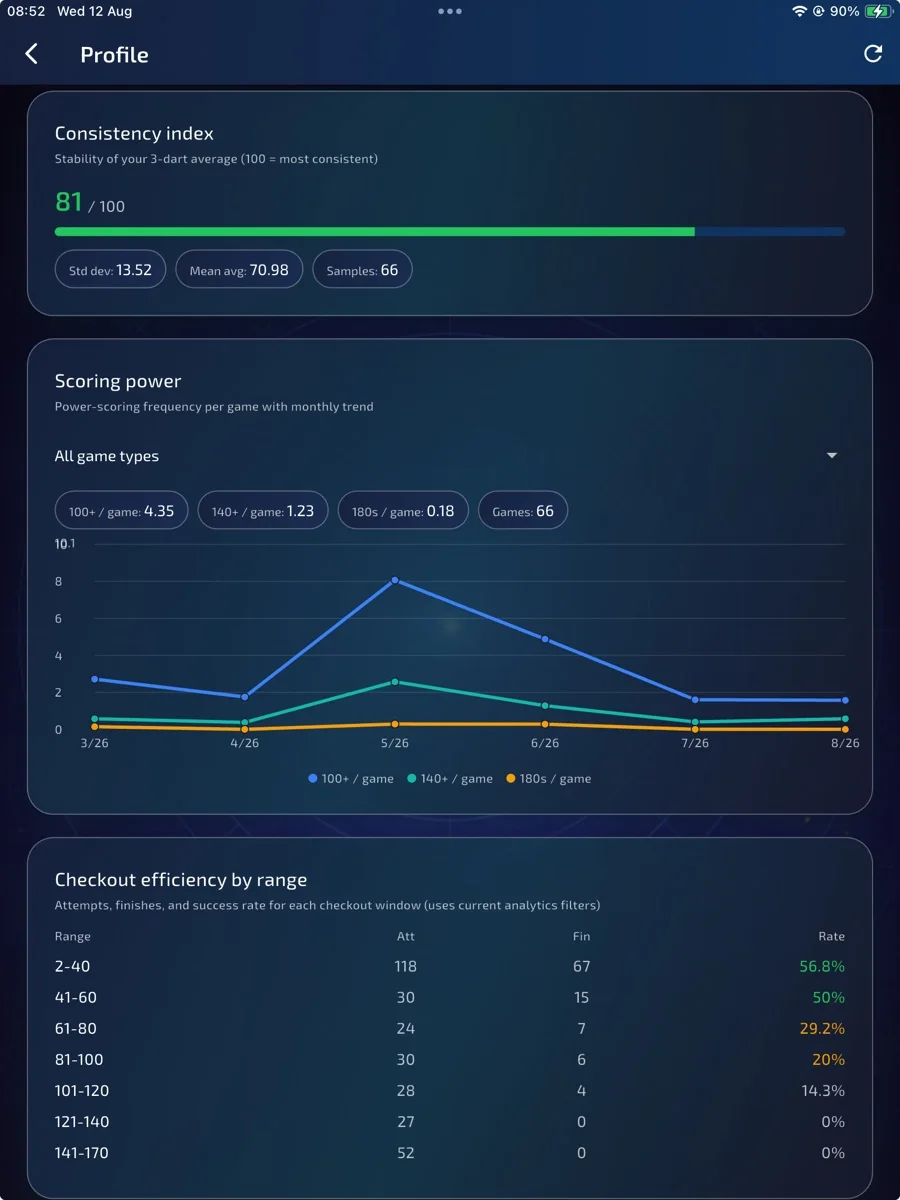
Performance analytics
More than averages
Use extra performance views to spot where your game is improving or drifting.
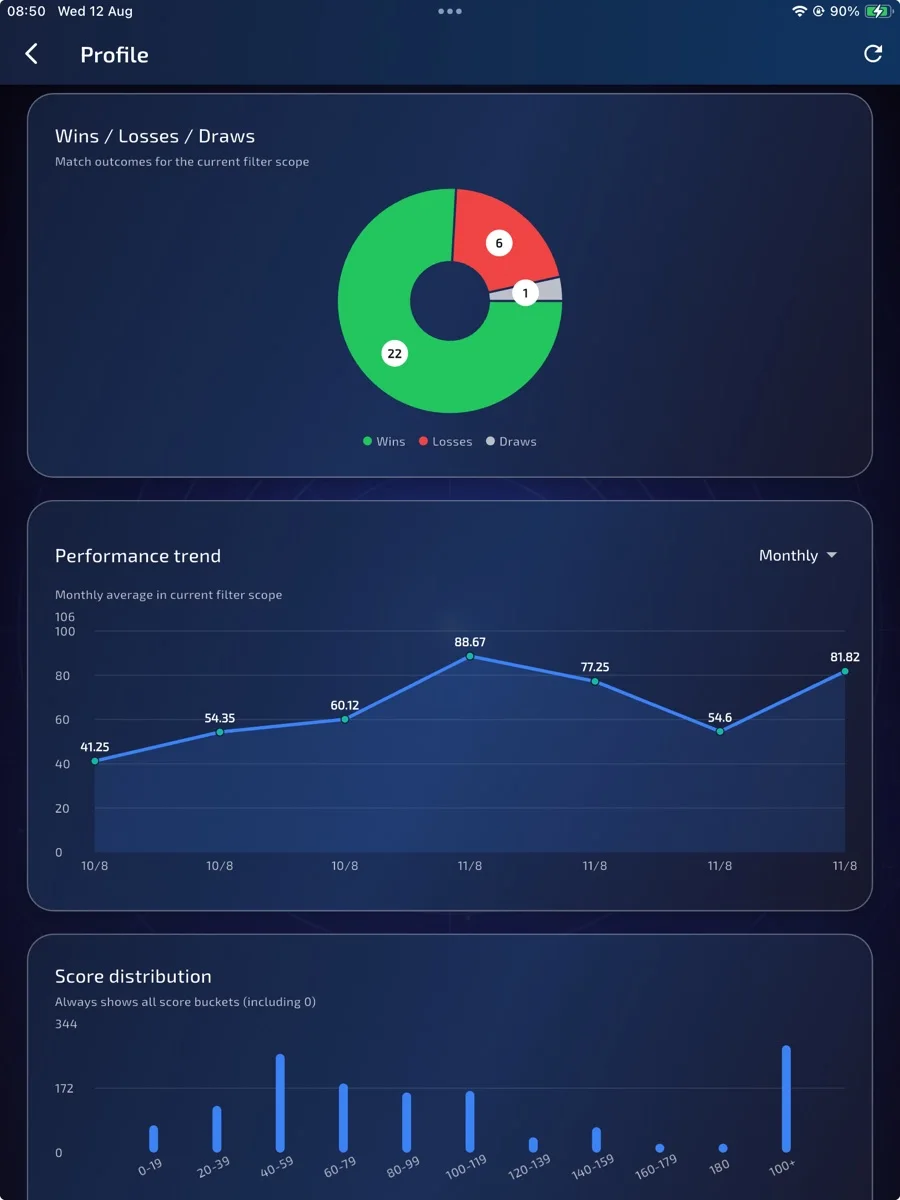
Performance analytics
Player-focused detail
Dig into the details that matter when you are trying to get better.
- 1Play or record matches
- 2Open Profile → Analytics where enabled
- 3Choose the date and game-type filters
- 4Compare scoring and finishing measures within those filters
Want to help shape it?